

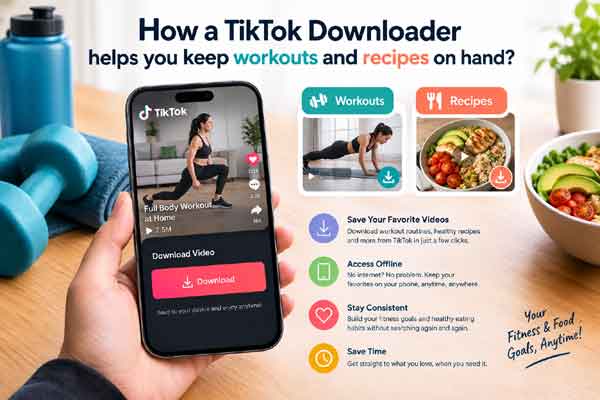
Gym basements lose signal, kitchens have wet hands, and the ten-minute mobility routine you saved last month has a habit of vanishing from your feed. A TikTok Downloader like SSSTik solves the practical half of that problem: it takes the link to a public TikTok video and gives you back a file you can open later, without an account and without installing anything.
Why offline copies matter for a health routine
Consistency depends on friction. If a stretching sequence takes four taps and a working connection to find, you will skip it on the days that matter. A saved copy sits in your downloads folder and plays whether or not the app loads.
The same applies to food. A 45-second recipe clip is easier to follow at the counter than a written method you have to scroll through, and a saved version does not disappear if the creator takes the post down or switches the account to private. SSSTik is a browser-based tiktok download tool, so you can paste a link from a phone, tablet, laptop, or desktop browser and get the video without moving to a different device.
One limit worth stating plainly: saving a video after it is gone is not possible. If a post has been deleted, suspended, or made private, there is no link left to work with. Save the clips you actually use while they are still up.
Three steps to save a clip
- Open the TikTok video you want and use the share button to copy its link.
- Paste the link into the input field on SSSTik.
- Choose the download option and the file lands in your browser’s download folder.
Processing happens on the server side, so the clip comes back quickly and nothing installs on your machine. Downloads are free and unlimited, and no registration or account is required. Where the source supports it, you get an MP4 in HD quality, and the file SSSTik links to is the watermark-free version available from TikTok rather than an edited copy.
What you can pull down
SSSTik handles standard videos and stories. For anyone building a health library, that covers most of what is useful: a warm-up circuit, a form breakdown for a lift you keep getting wrong, a physiotherapist’s explanation of a nagging ache, a two-ingredient breakfast, a story a coach posted that will expire in a day.
Organising what you save
A folder of 200 unsorted MP4s is its own kind of clutter. A few habits keep it usable:
- Rename files as you save them, so “mobility-hips-10min” beats a string of digits.
- Separate folders for movement, food, and sleep or recovery content.
- Delete anything you have not opened in a month. If you did not use it, it was inspiration, not a routine.
- Keep one short playlist for travel weeks, when hotel gyms and unfamiliar kitchens make familiar routines valuable.
Judge the advice, not the edit
Downloading is easy; vetting is the part worth your attention. Short-form fitness and nutrition content rewards confidence over accuracy, and a well-lit clip is not evidence. Before you build a routine around something you saved, check who is giving the advice and whether they name a source. Anything involving injury, medication, or a restrictive eating pattern belongs with a clinician before it belongs in your folder.
Saved clips are for your own reference. Reposting or republishing someone else’s video is a separate question, and the creator’s rights do not change because the file is on your drive.
Follow – https://fashionpronews.com for More Updates
